Blueprint Chapter - CllamaServer (llama.cpp server)
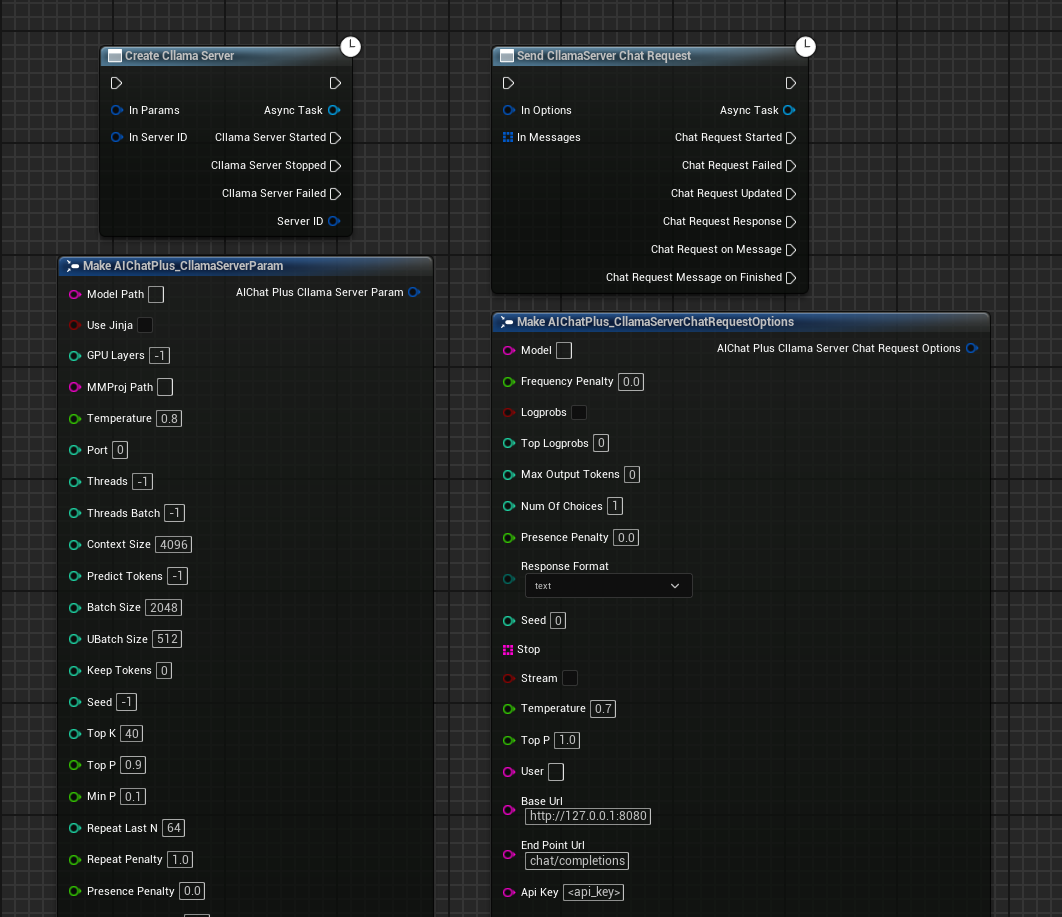
Overview
CllamaServer is implemented based on the Server mode of llama.cpp. It allows you to locally spin up a server compatible with the OpenAI API, offering support for multiple features:
- Local Inference Service: Launch an AI inference server locally without relying on external APIs.
- OpenAI API Compatible: Supports OpenAI-compatible API formats for easier migration and integration
- Multi-session Support: Supports multiple concurrent requests
- Tool Calling: Supports function calling capabilities
- Speech-to-Text: Supports Speech-to-Text functionality
- Visual Management: Built-in Server management interface in the editor
Differences from Cllama: * Cllama: Directly loads the model within the process for inference, capable of handling only one request at a time. * CllamaServer: Launches a standalone HTTP server capable of handling multiple concurrent requests, with API compatibility in OpenAI format.
Preparation work
Since it's running locally, you'll need to prepare the offline model files first, such as downloading Qwen1.5-1.8B-Chat-Q8_0.gguf
Place the model in a certain folder, for example, under the game project directory Content/LLAMA.
Create CllamaServer
Creating a Server Using Blueprints
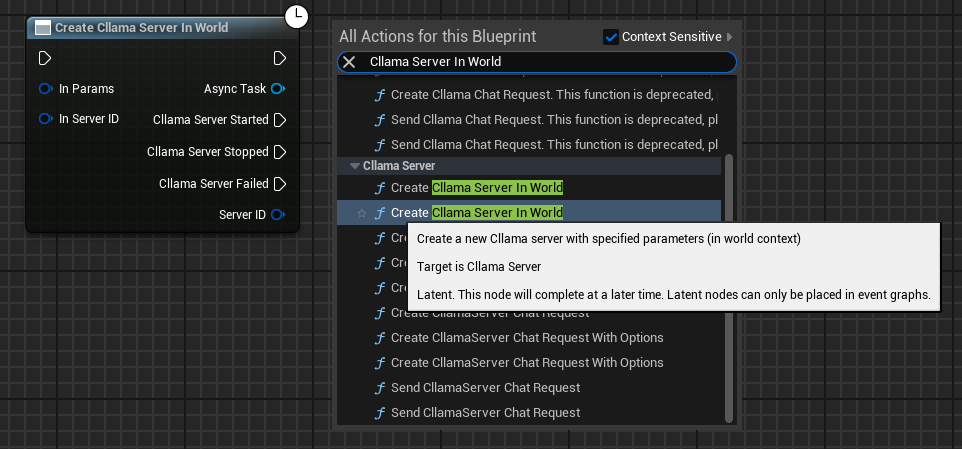
Right-click in the blueprint to create the node Create Cllama Server In World
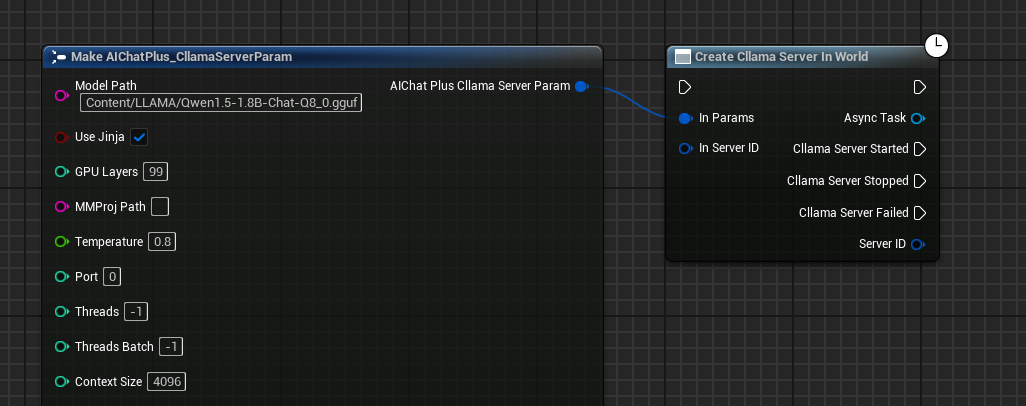
Configure Server Parameters
Create the Cllama Server Param node and configure essential parameters:
- Model: Path to the model file (required)
- Port: Server port (0 indicates automatic allocation)
- Host: Listening address, defaults to
127.0.0.1 - NGpuLayers: Number of GPU layers (-1 means to use all GPUs)
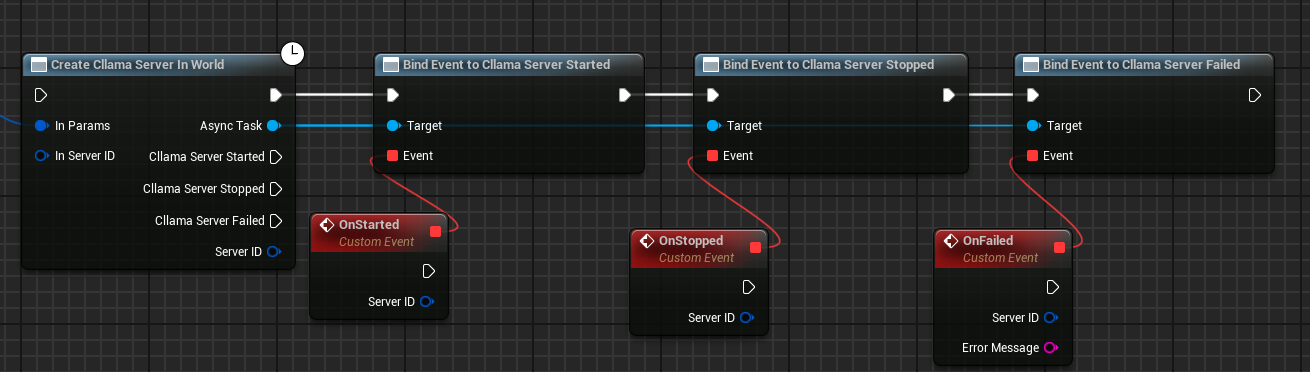
Bind callback events
Binding callback events for Server:
- On Started: Triggered when the server starts successfully
- On Stopped: Triggered when the server stops
- On Failed: Triggered when Server startup fails
Complete Creation Blueprint
The complete Server creation blueprint is as follows:
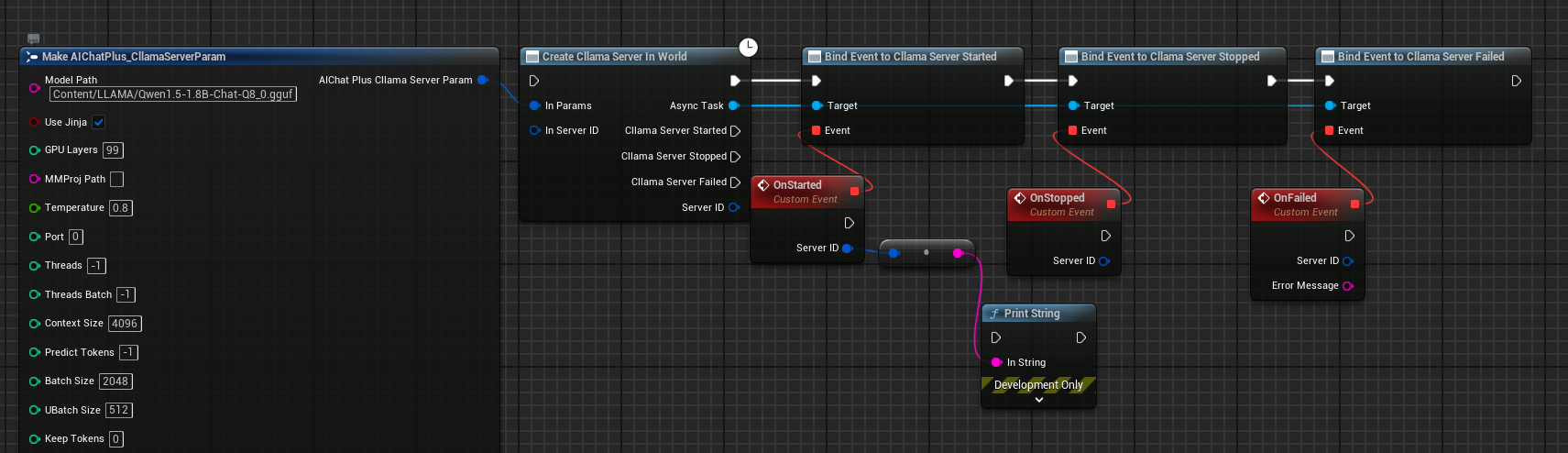
After running the blueprint, the Server will trigger the On Started event upon successful startup.
Detailed Explanation of Server Parameters
The FAIChatPlus_CllamaServerParam struct contains the following parameters:
Common Parameters
| Parameter | Type | Default Value | Description |
|---|---|---|---|
| Model | FString | - | Model file path (required) |
| Port | int32 | 0 | Listening port, 0 indicates automatic allocation |
| Host | FString | 127.0.0.1 | Listening Address |
| NGpuLayers | int32 | -1 | Number of GPU layers, -1 means all |
| bUseJinja | bool | false | Use Jinja template |
| MMProj | FString | - | Multimodal projection file path |
| Temperature | float | 0.8 | Sampling temperature |
Reasoning Argument
| Parameter | Type | Default Value | Description |
|---|---|---|---|
| CtxSize | int32 | 4096 | Context Size |
| NPredict | int32 | -1 | Number of tokens to predict, -1 denotes unlimited |
| Threads | int32 | -1 | CPU thread count, -1 denotes automatic |
| BatchSize | int32 | 2048 | Batch size |
Sampling Parameters
| Parameter | Type | Default Value | Description |
|---|---|---|---|
| TopK | int32 | 40 | Top-K sampling |
| TopP | float | 0.9 | Top-P Sampling |
| MinP | float | 0.1 | Min-P sampling |
| RepeatPenalty | float | 1.0 | Repetition penalty |
Server Parameters
| Parameter | Type | Default Value | Description |
|---|---|---|---|
| ApiKey | FString | - | API Key (optional) |
| Timeout | int32 | 600 | Timeout duration (seconds) |
| Parallel | int32 | 1 | Number of parallel sequences |
| bNoWebUI | bool | false | Disable Web UI |
| bVerbose | bool | false | Verbose Logging |
Chat using CllamaServer
Create Chat Request
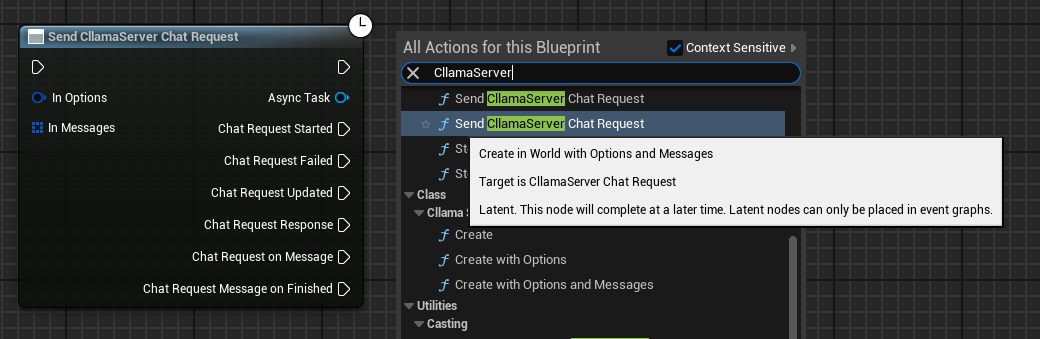
Once the server starts successfully, you can use the Send CllamaServer Chat Request node to send chat requests.
Configure Chat Options
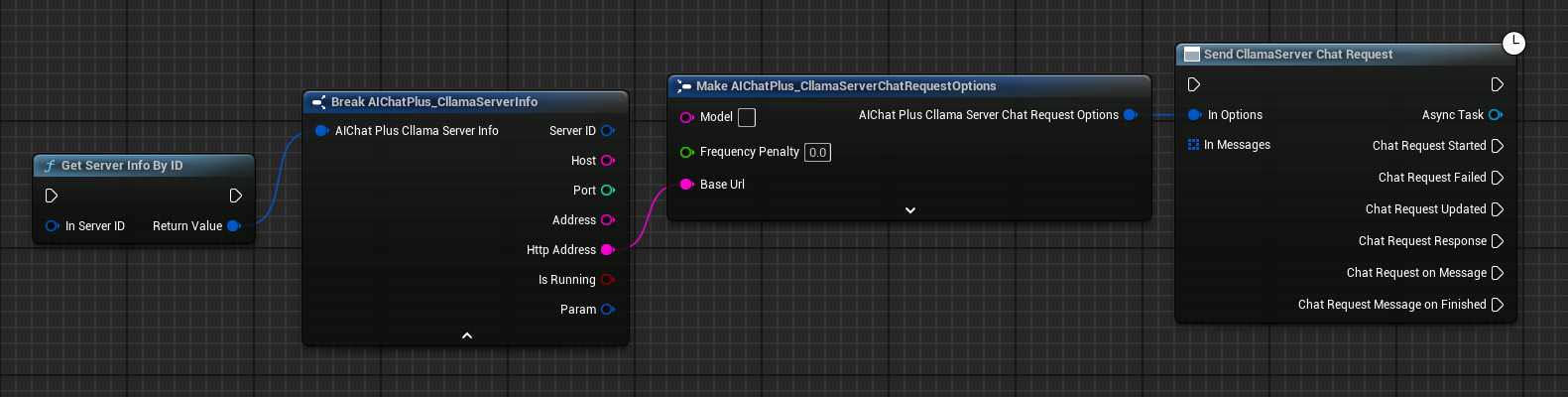
Create a CllamaServer Chat Request Options node and set the BaseUrl to the Server address.
You can obtain Server information through the Get Server Info By ID node.
Create Messages
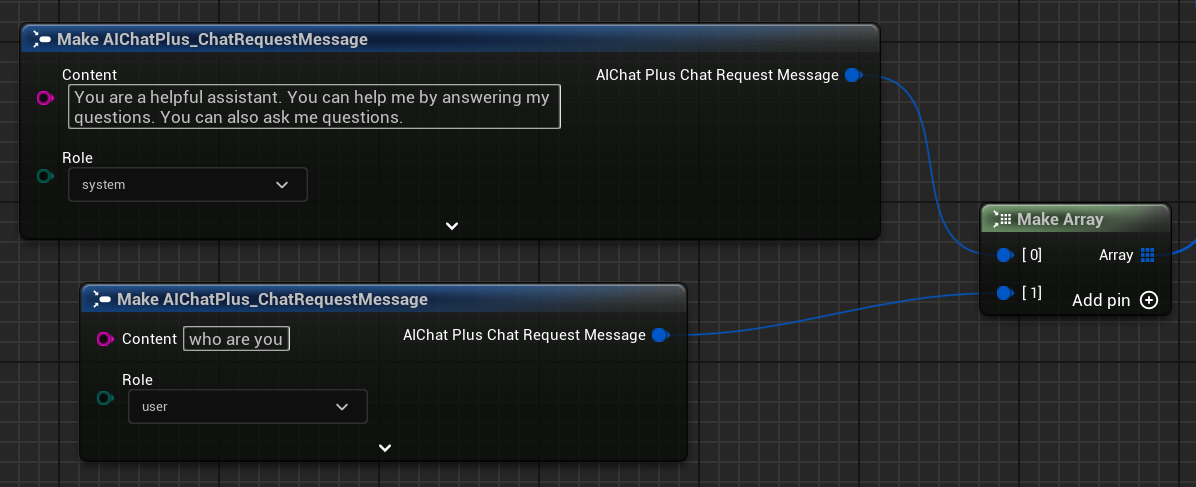
Create Messages array, add System Message and User Message.
Bind callback handlers to process responses
Bind the On Message or On Message Finished events to receive model responses.
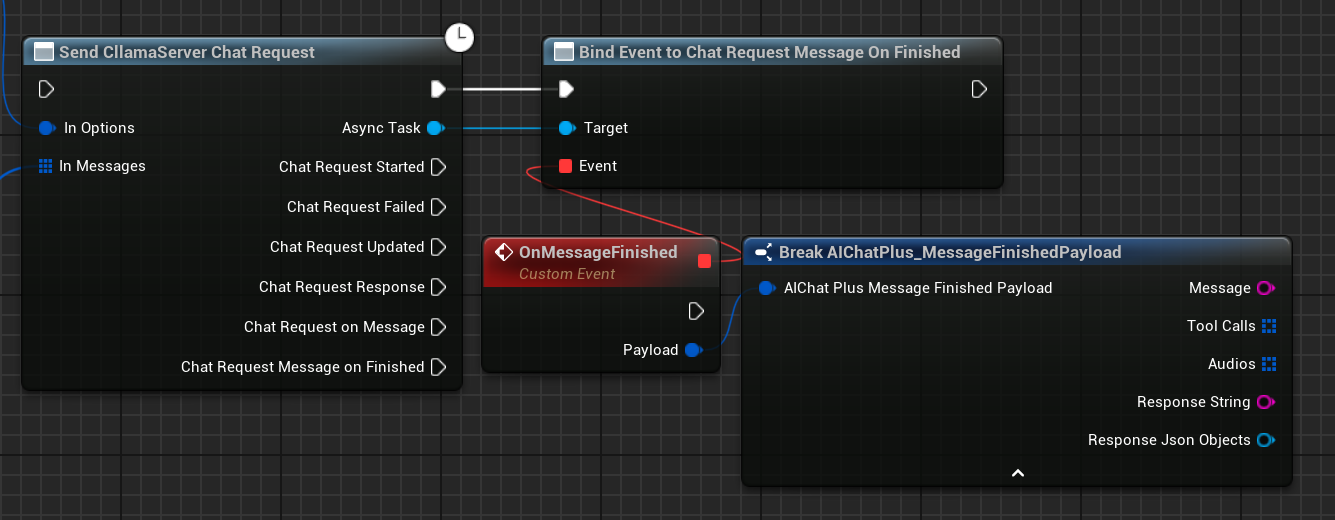
Complete Chat Blueprint
The complete chat blueprint is as follows:
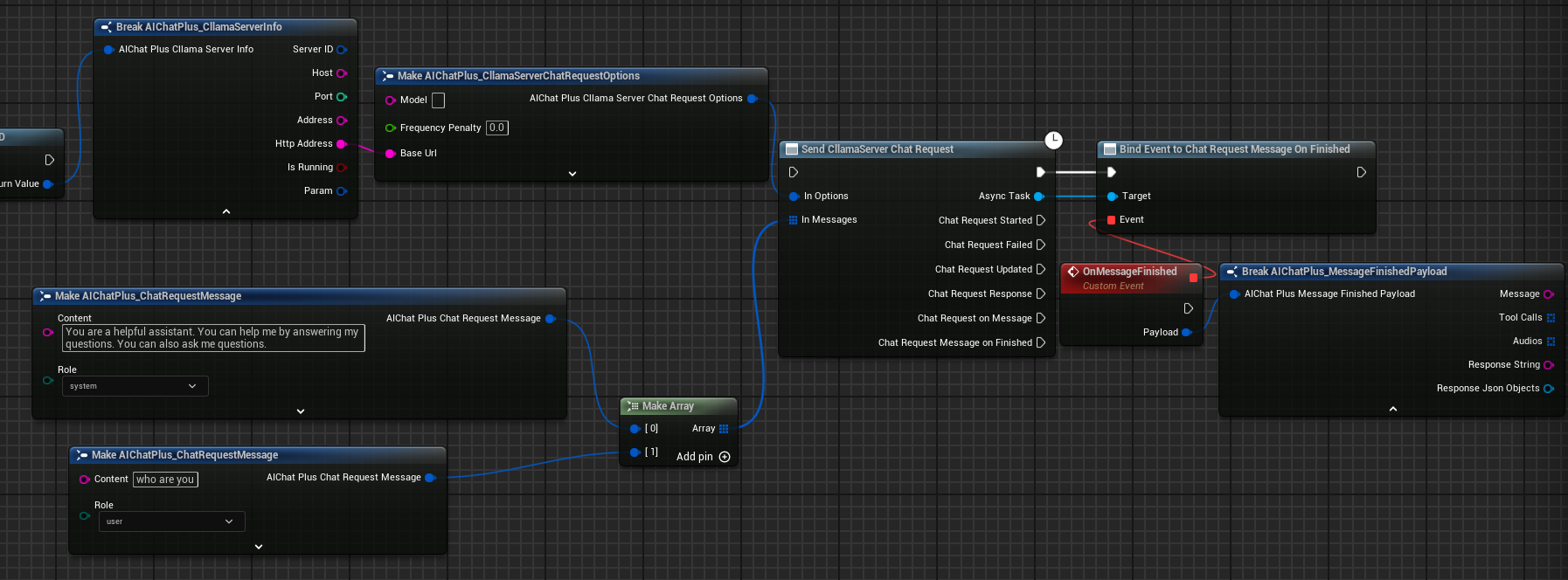
Execution Result
Run the blueprint, and you'll see the message returned by the model displayed on the screen.
Server Management
Get Server Information
Use the Get Server Info node to fetch detailed information about the Server.
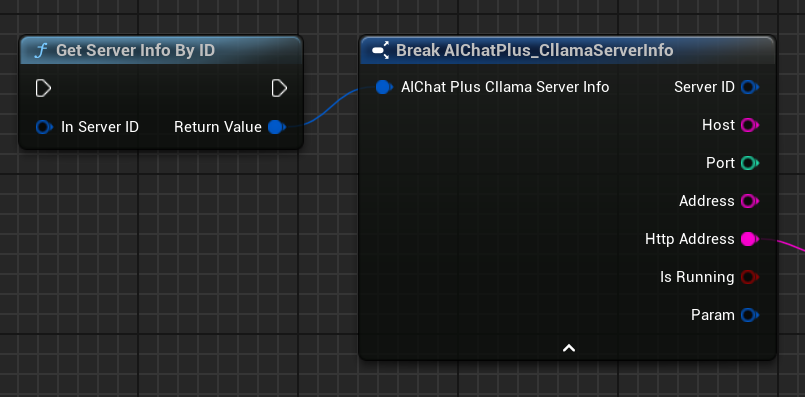
Server Info includes the following information: * ServerID: Unique server identifier * Host: Listening Address * Port: Listening Port * Address: Complete address (host:port) * HttpAddress: HTTP Address (http://host:port) * bIsRunning: Whether it is running * Param: Server parameter
Stop Server
Use the Stop Server By ID node to stop the current Server.
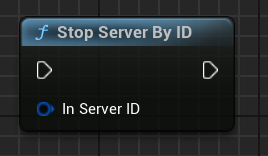
Static Management Functions
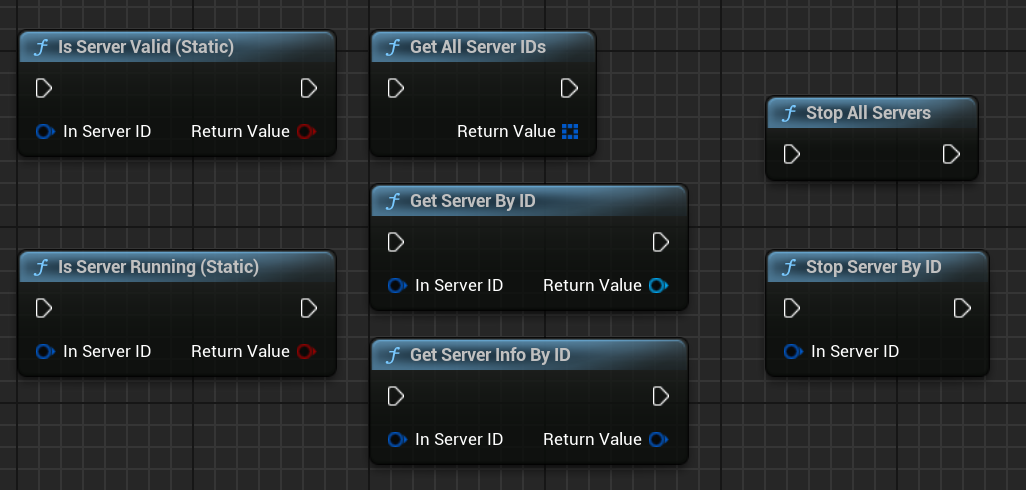
AIChatPlus provides a set of static functions for managing all Servers.
| Function | Description |
|---|---|
Is Server Valid (Static) |
Check if the Server is Valid |
Is Server Running (Static) |
Check if the server is running |
Stop Server By ID |
Stop the specified Server by ID |
Stop All Servers |
Stop All Servers |
Get Server Info By ID |
Get Server Info By ID |
Get All Server IDs |
Retrieve All Server IDs |
Get Server By ID |
Retrieve Server instance by ID |
Multimodal Support
CllamaServer supports multimodal models (such as Moondream, Qwen2-VL, etc.).
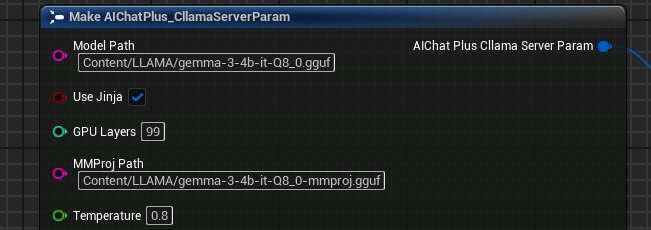
Configure Multimodal Parameters
Set MMProj (multimodal projection file path) in the Server parameters:
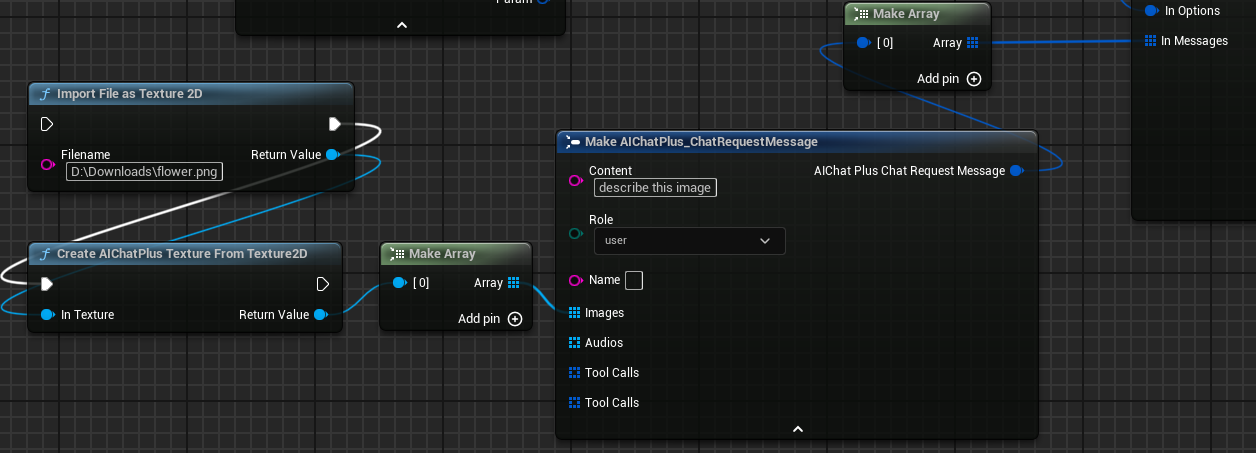
Send image message
Add images in Messages:
Execution Results
Tool Calling
CllamaServer supports Tool Calling (function calling) functionality, with usage similar to OpenAI.
For detailed usage, please refer to Tool CallDocument.
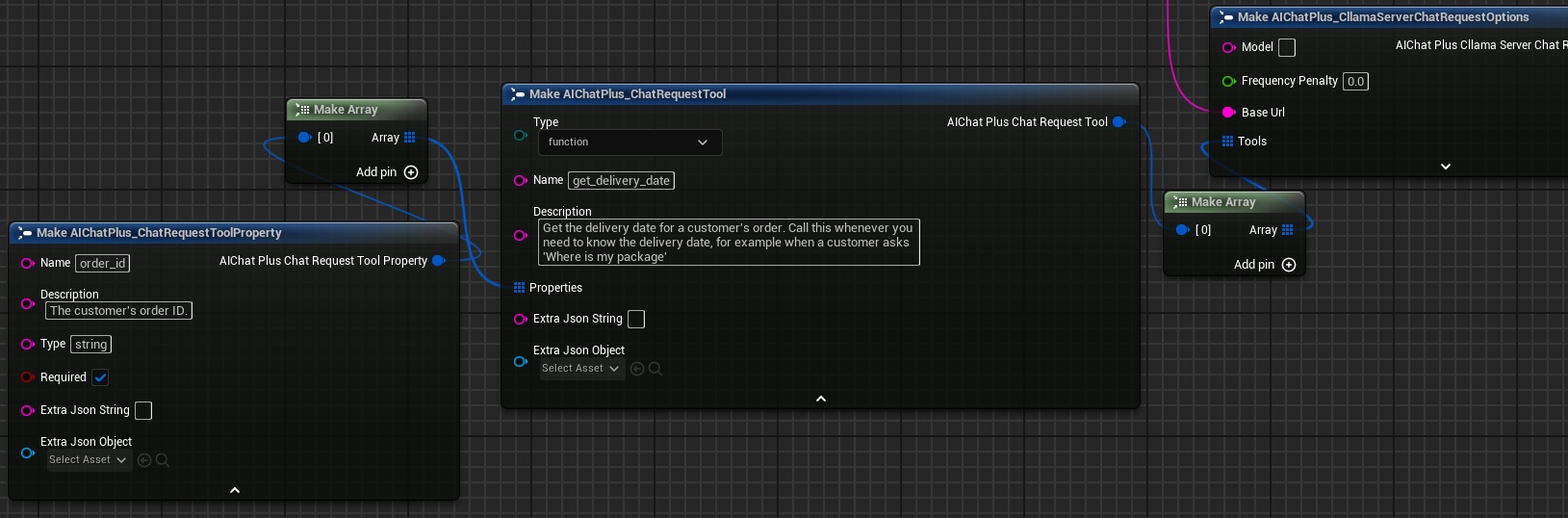
When using CllamaServer for Tool Call, the following are required:
1. Set bUseJinja = true in the Server parameters
2. Define tools in the Tools field of Chat Options
Editor Server Management
AIChatPlus offers a visual CllamaServer management interface within the editor tool, simplifying the creation, monitoring, and administration of multiple Servers.
Open the editor tool by navigating to: Tools -> AIChatPlus -> AIChat, then open the Cllama Server Manager tab.
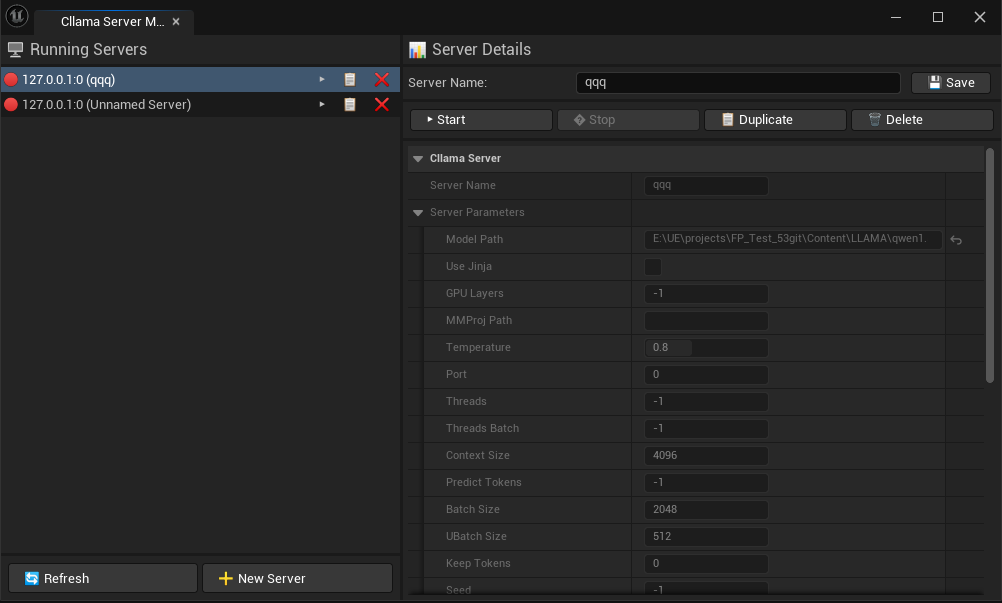
In the editor, you can: * Create a new Server * Check the status of the running Server * Stop the specified Server * Configure Server Parameters * Server configurations are automatically saved.
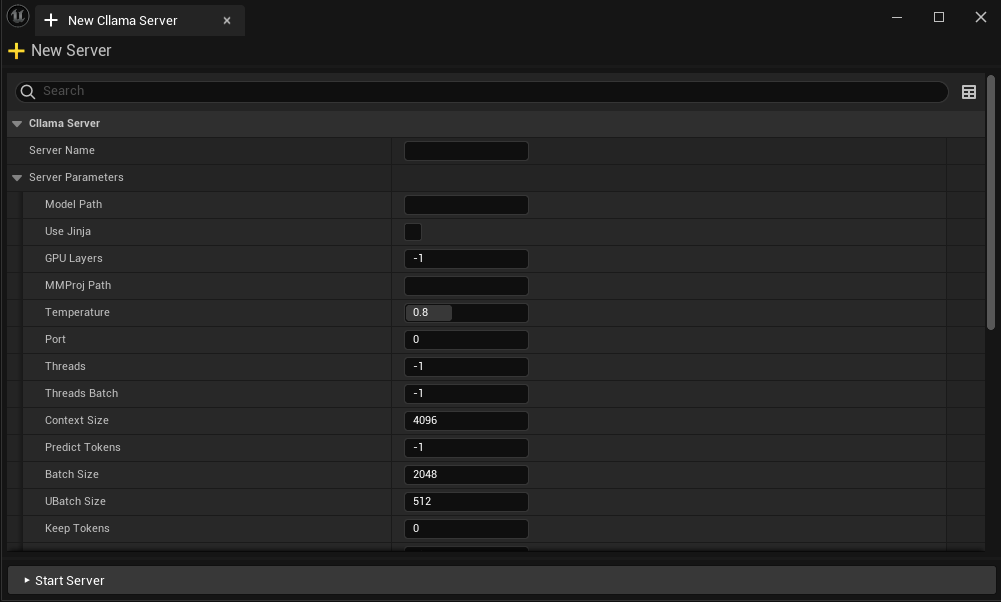
Relationship to Other APIs
Since CllamaServer is compatible with the OpenAI API format, you can also use OpenAI’s Chat Request node to communicate with CllamaServer—just set the BaseUrl to the address of CllamaServer.
Original: https://wiki.disenone.site/en
This post is protected by CC BY-NC-SA 4.0 agreement, should be reproduced with attribution.
Visitors. Total Visits. Page Visits.
This post was translated using ChatGPT; please provide feedback at FeedbackPoint out any omissions therein.