Blueprint Chapter - Tool Call
Tool Calling, also known as Function Calling, refers to the capability of large models to determine whether they need to invoke external tools/functions based on the conversation content, in order to gather information or perform actions. The model will return the names of the functions to be called along with their parameters. Developers then execute the actual calls and feed the results back to the model for continuing the dialogue.
AIChatPlus supports the Tool Call feature on the following platforms:
- OpenAI
- Claude
- Gemini
- Ollama
- CllamaServer (llama.cpp server)
Core Concepts
Definition of Tool
The definition of a Tool includes the following key fields:
- Type: The type of tool; currently only
Functionis supported. - Name: Function name, which must consist of a-z, A-Z, 0-9, underscores or hyphens, with a maximum length of 64
- Description: Function description, the model will determine when to call this function based on this description.
- Properties: The parameter list of a function, where each parameter includes attributes such as Name, Description, Type, Required, etc.
Tool Call Process
The complete workflow of Tool Call is as follows:
- Send Request: Dispatch a chat request to the model containing Tools definitions.
- Model Judgment: The model determines whether tools need to be invoked based on the conversation content
- Return Tool Calls: If invocation is required, the model returns the function name and parameters to be called.
- Execute Function: Developers perform the actual function call based on the returned information.
- Return Result: Send the function execution result as a new message to the model
- Continue Conversation: The model generates the final reply based on the function results.
OpenAI Tool Call Example
Below is an example using OpenAI to demonstrate how to use the Tool Call feature.
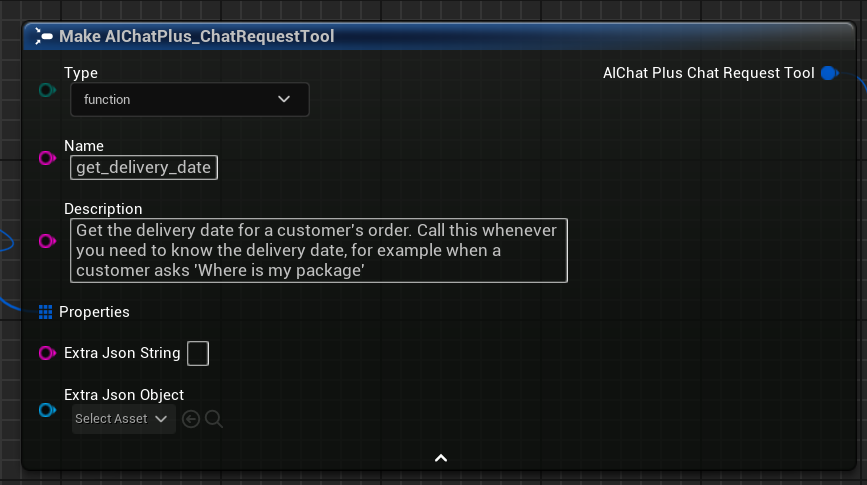
1. Define Tool
First, create the Tool definition. In this example, we define a function get_delivery_date that retrieves the delivery time of a courier package.
2. Defining Tool Parameters
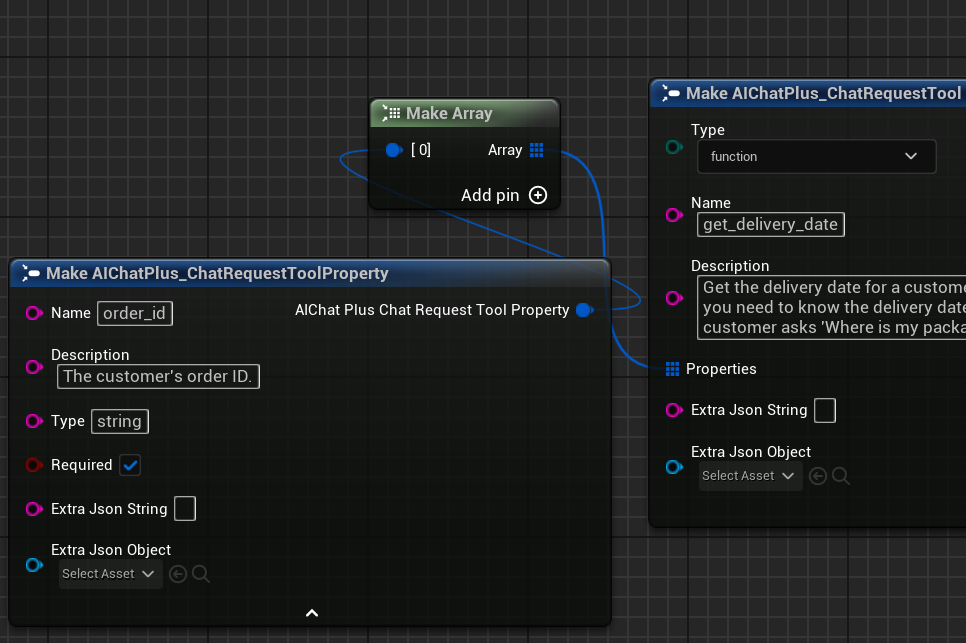
Add Properties (parameters) to the Tool. In this example, add an order_id parameter with the type as string and set it as required.
3. Configure Options
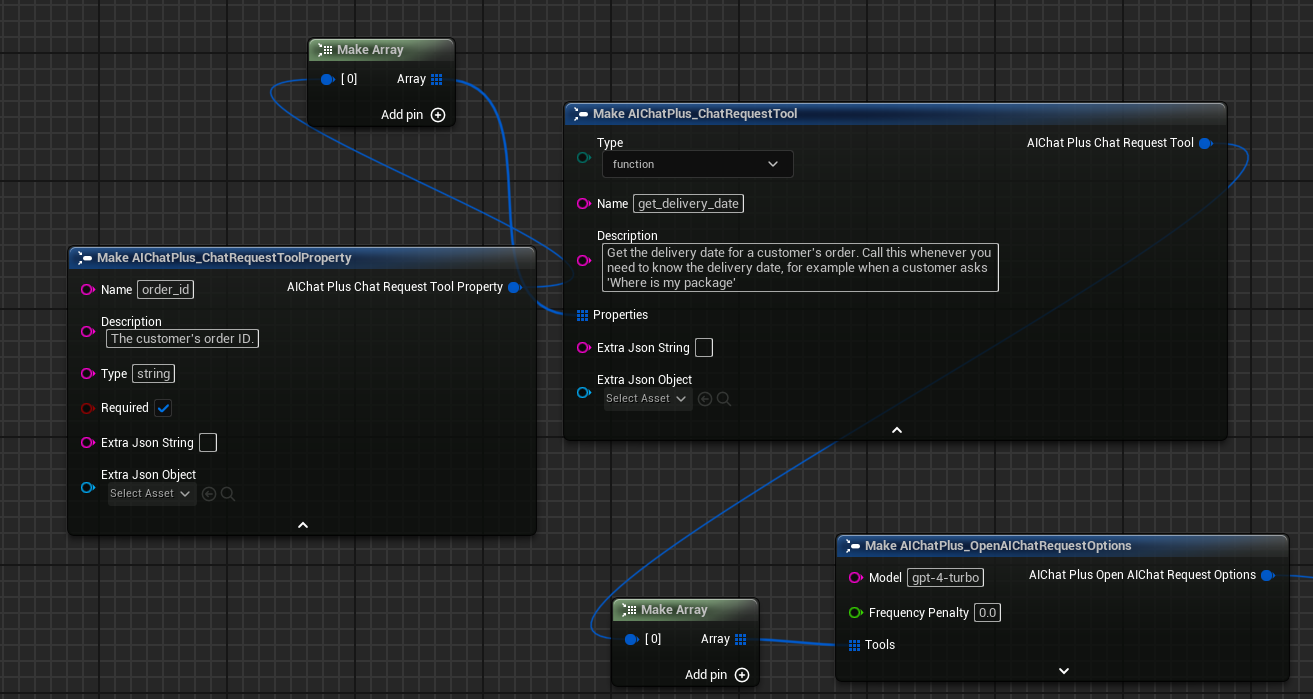
Create the OpenAI Chat Request Options node, configure the API Key and Model, and connect the Tools array to the Options.
Image needed: Showing the creation of an OpenAI Chat Request Options node, setting ApiKey and Model="gpt-4o-mini", and connecting the above Tool to the Tools field via Make Array.
4. Create Messages
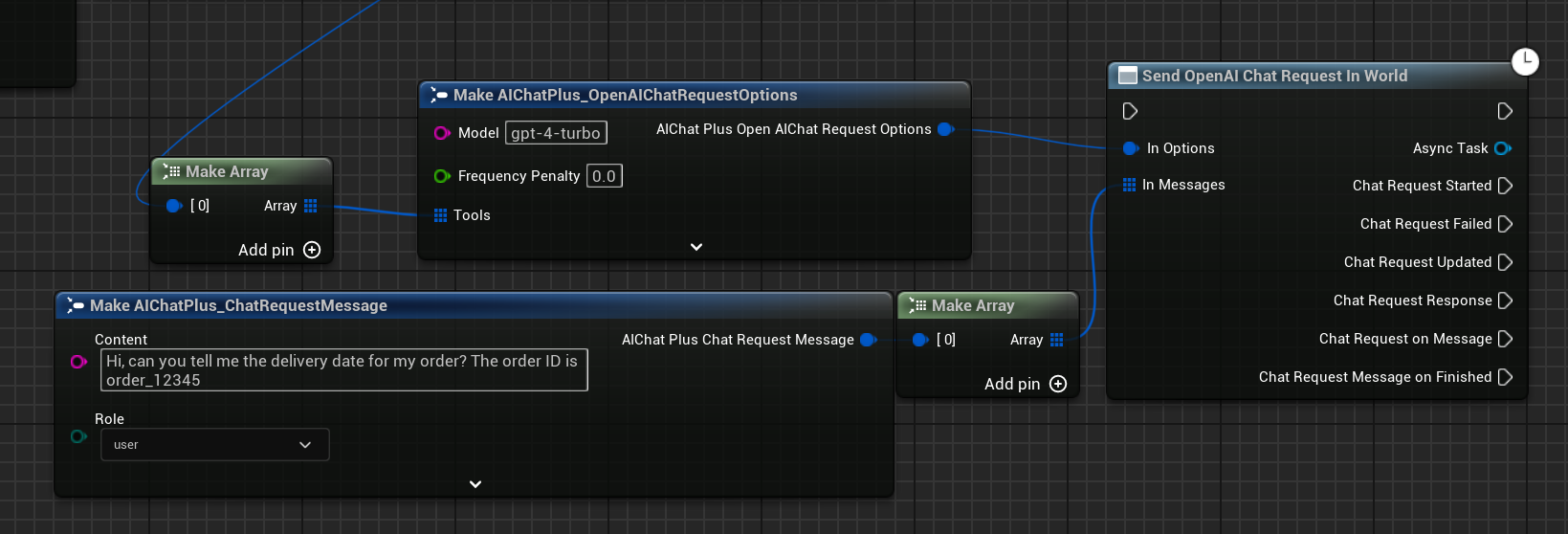
Create a user message inquiring about courier package-related issues.
5. Send the request and handle the Tool Call
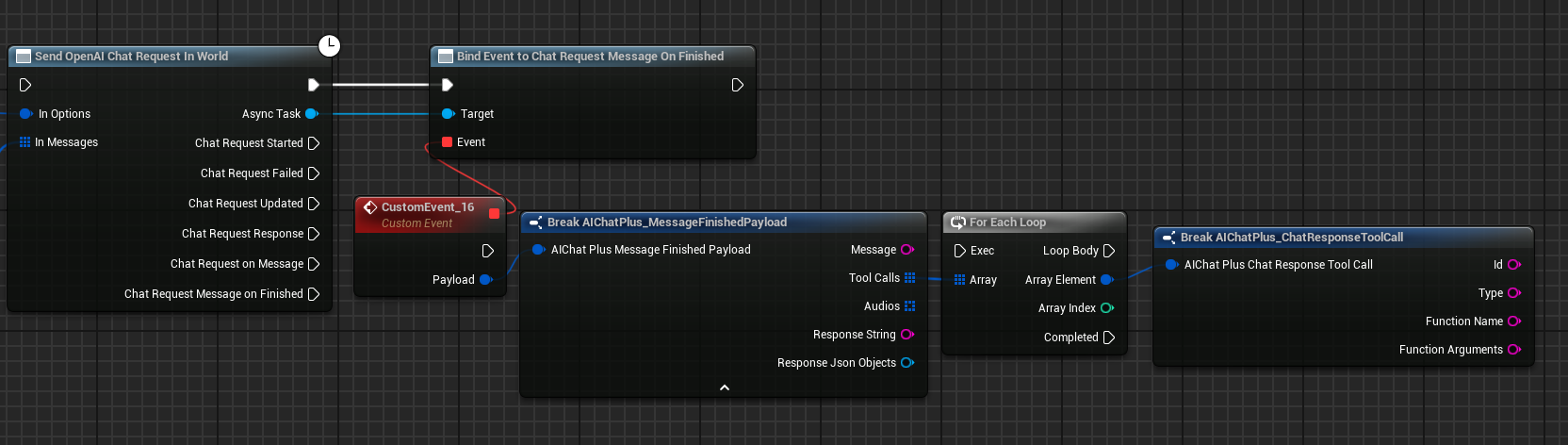
Create the Send OpenAI Chat Request In World node and bind the On Message Finished event. In the event callback, retrieve the ToolCalls array from the Payload.
When the model decides to invoke a tool, the ToolCalls array is not empty. Traverse the array to retrieve information about each Tool Call:
- Id: Unique identifier for Tool Call
- FunctionName: The name of the function to be invoked
- FunctionArguments: Function parameters (in JSON string format)
6. Execute the function and return the result
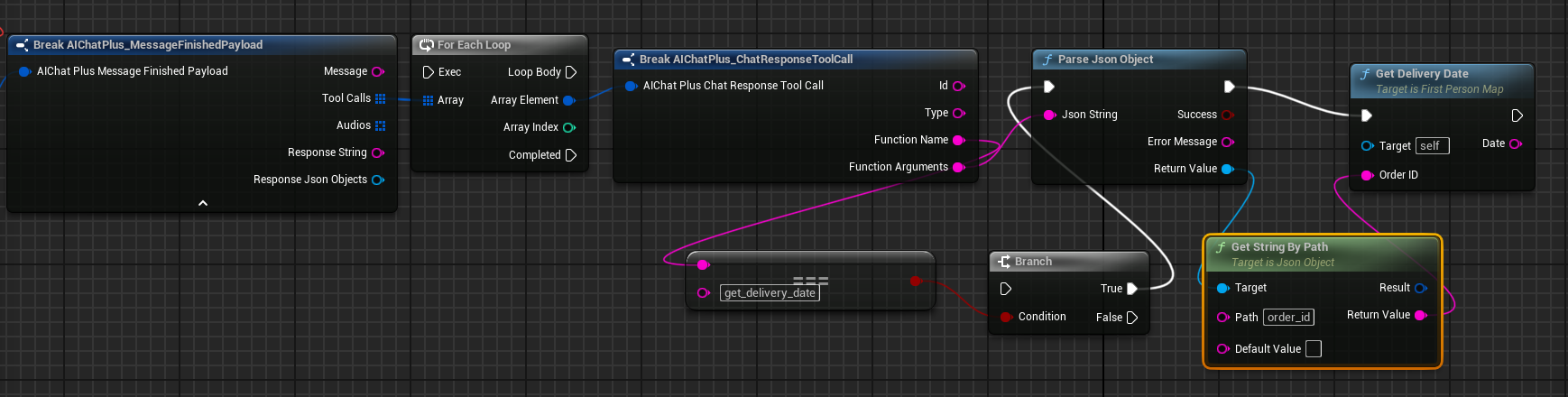
Execute the corresponding function logic based on FunctionName (in this example, simulating the retrieval of a package delivery time), then return the result as a ToolCallResult-type message to the model.
Create a new Message, you need to set:
- Role: Set to
Tool - Content: The result of function execution
- ToolCallResults: Add a
FAIChatPlus_ChatRequestToolCallResult, setting the Id (using the previous Tool Call Id), FunctionName, and FunctionResult.
7. Continue the conversation
Add the message containing the ToolCallResult to the conversation history and send the request again. The model will generate the final natural language response based on the returned function results.
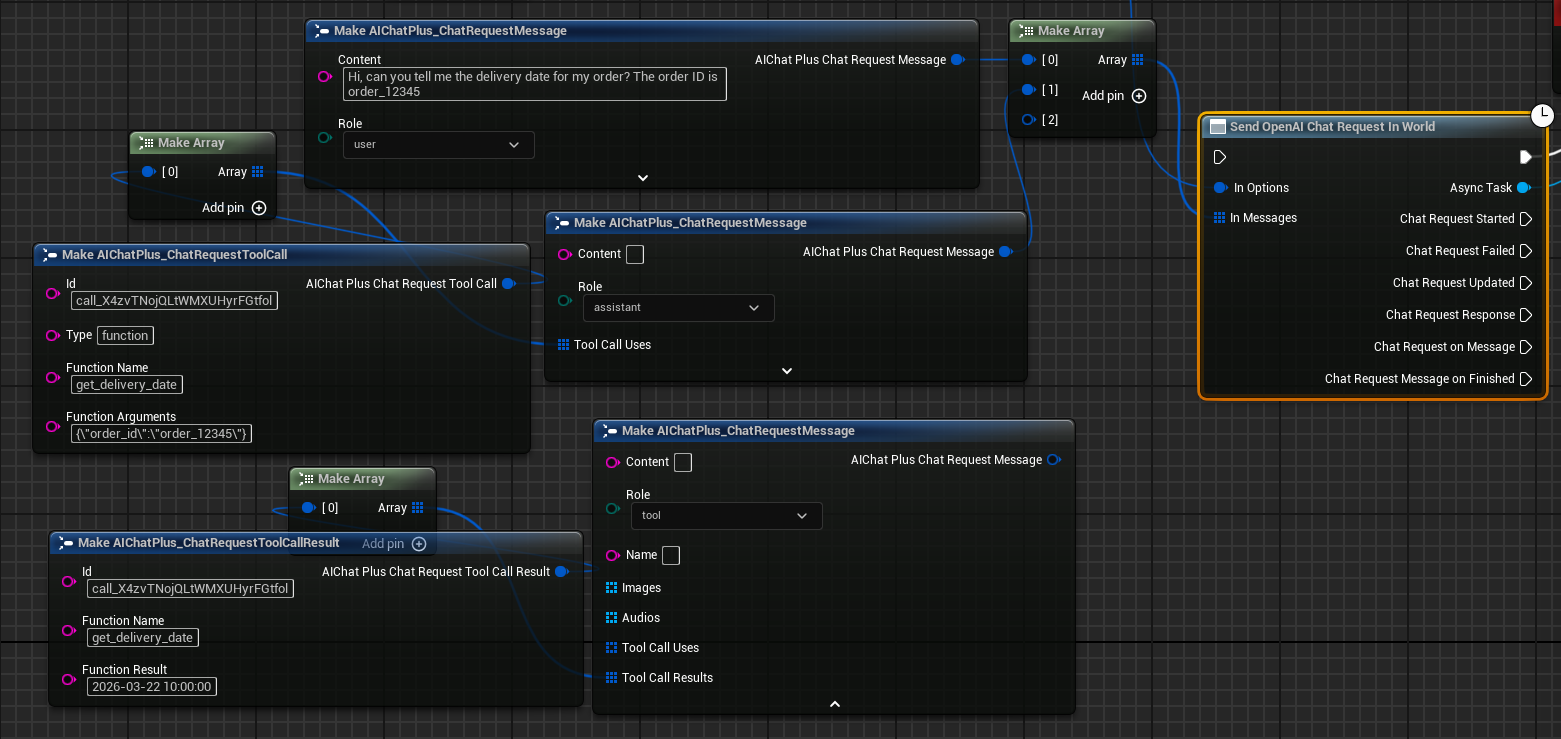
The complete Tool Call blueprint looks like this:
10. Execution Results
Running the blueprint shows that the model returns natural language responses containing weather information.
Advanced Usage
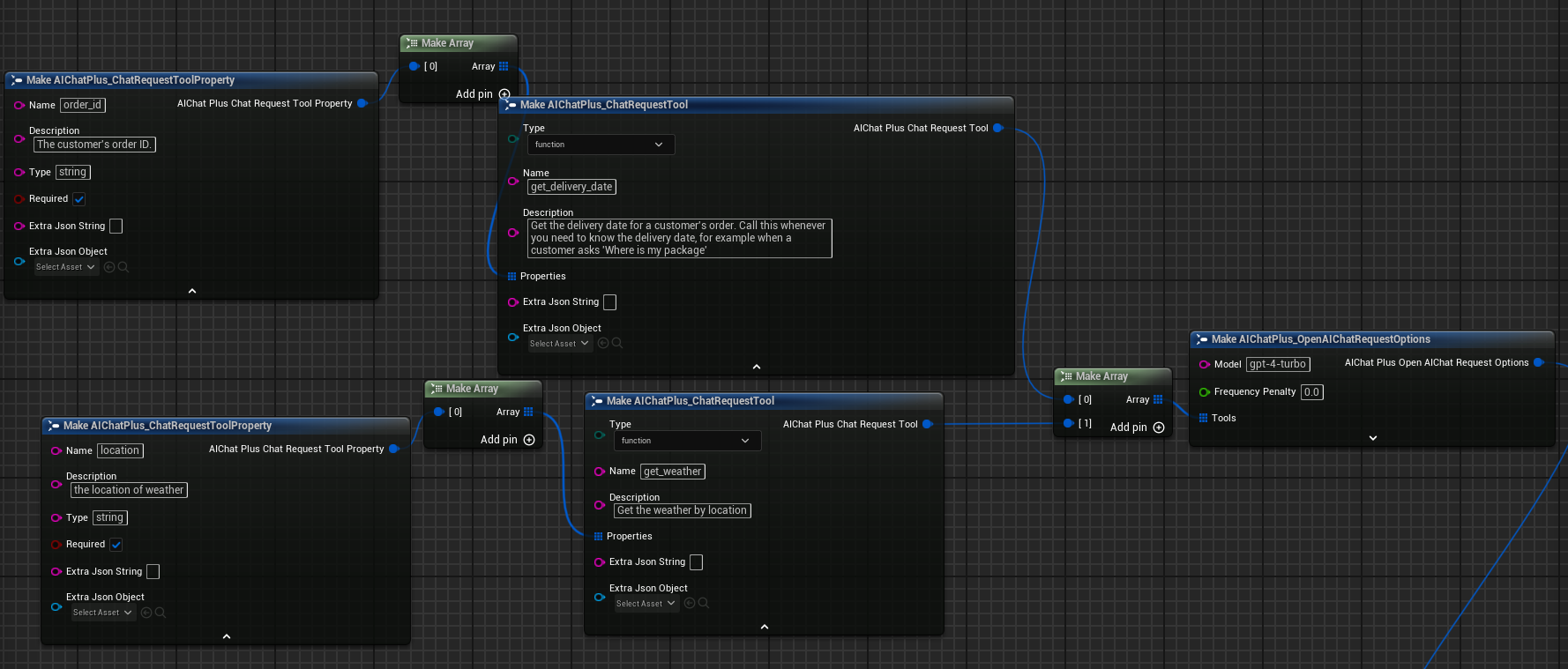
Multiple Tools
You can define multiple Tools simultaneously, and the model will select which function or functions to invoke as needed.
Complex Parameter Types
Tool parameters support various types, and more complex parameter definitions such as enumeration types can be added through the ExtraJsonString or ExtraJsonObject fields. For example:
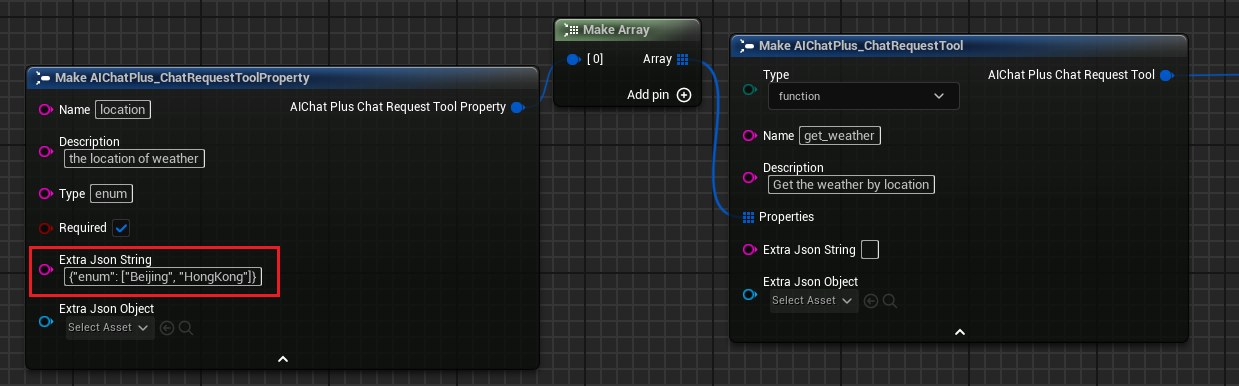
Other Platforms
The usage of Tool Call in Claude, Gemini, Ollama, and CllamaServer is similar to OpenAI—simply replace the corresponding Request and Options nodes. The core data structures (FAIChatPlus_ChatRequestTool, FAIChatPlus_ChatResponseToolCall, etc.) are universal across these platforms.
Original: https://wiki.disenone.site/en
This post is protected by CC BY-NC-SA 4.0 agreement, should be reproduced with attribution.
Visitors. Total Visits. Page Visits.
This post is translated using ChatGPT. Please provide feedbackPoints out any omissions therein.